Using the images you have built on the jupyter-lab and on the worker nodes
On the Hub
From the gitlab.cern.ch container registry copy the path of the relevant image.
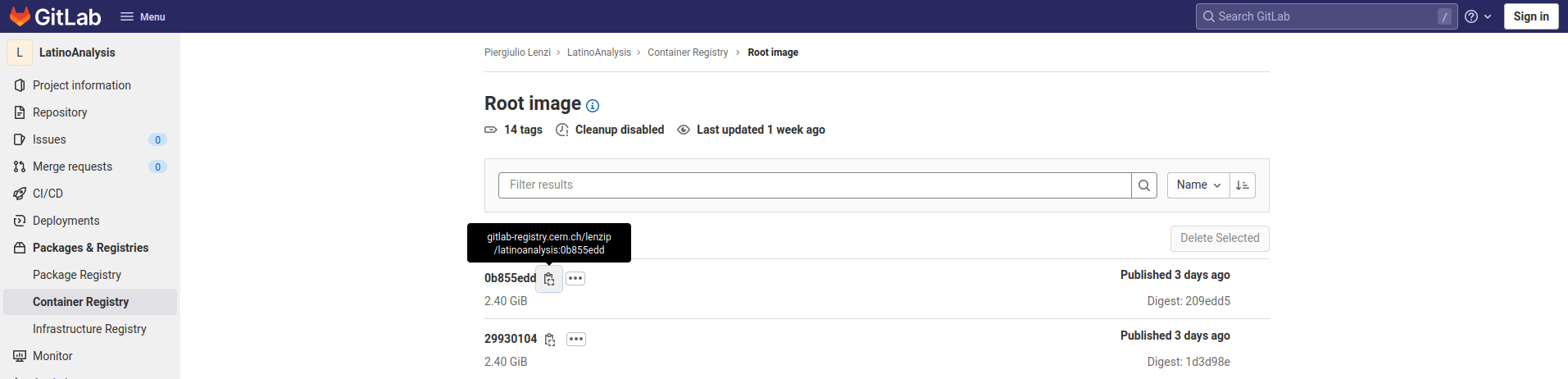
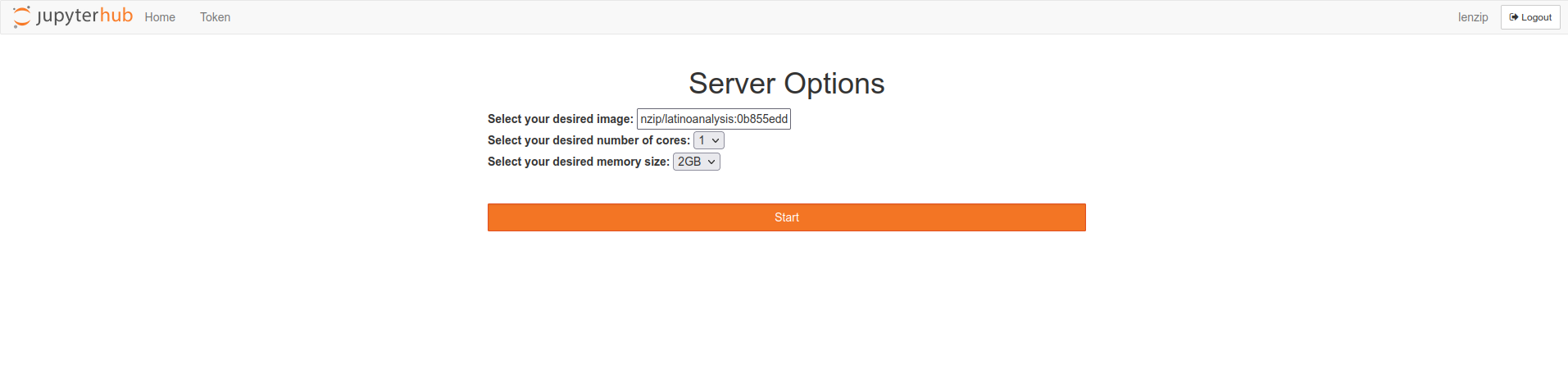
Paste it in the Jupyter Hub startup page and wait for the server to start.
Job submission script (an example)
Please find here a complete submission script that was succesfully used on the testbed, based on the Latinos framework discussed earlier.
Requirements = HasSingularity
transfer_input_files    = proxy
executable = ./mkShapes__ggH2018_v7_11_11__ALL/qqH_hww.1/mkShapes__ggH2018_v7_11_11__ALL__qqH_hww.1.sh
universe = vanilla
output = ./mkShapes__ggH2018_v7_11_11__ALL/qqH_hww.1/mkShapes__ggH2018_v7_11_11__ALL__qqH_hww.1.out
error = ./mkShapes__ggH2018_v7_11_11__ALL/qqH_hww.1/mkShapes__ggH2018_v7_11_11__ALL__qqH_hww.1.err
log = ./mkShapes__ggH2018_v7_11_11__ALL/qqH_hww.1/mkShapes__ggH2018_v7_11_11__ALL__qqH_hww.1.log
request_cpus = 1
+SingularityImage = "/cvmfs/unpacked.cern.ch/gitlab-registry.cern.ch/lenzip/latinoanalysis:0b855edd/"
Requirements   = (SiteName == "T2_LNL_PD")
queue
- the singularity image that is loaded is the same one we used to start the server, except it is taken from
/cvmfs, instead of thegitlab.cern.chcontainer registry directly.
The exectutable script looks like this:
#!/bin/bash
export VO_CMS_SW_DIR=/cvmfs/cms.cern.ch
export X509_USER_PROXY=$PWD/proxy
#voms-proxy-info
export SCRAM_ARCH=slc7_amd64_gcc900
export VO_CMS_SW_DIR=/cvmfs/cms.cern.ch
source $VO_CMS_SW_DIR/cmsset_default.sh
cd /opt/CMSSW_11_2_5
eval `scramv1 ru -sh`
ulimit -c 0 -s unlimited
cd -
set -e
python ./mkShapes__ggH2018_v7_11_11__ALL/qqH_hww.1/mkShapes__ggH2018_v7_11_11__ALL__qqH_hww.1.py
[ $? -eq 0 ] && mv ./mkShapes__ggH2018_v7_11_11__ALL/qqH_hww.1/mkShapes__ggH2018_v7_11_11__ALL__qqH_hww.1.jid ./mkShapes__ggH2018_v7_11_11__ALL/qqH_hww.1/mkShapes__ggH2018_v7_11_11__ALL__qqH_hww.1.done
Note that:
- The job points to the voms proxy that was transferred to the worker
- Since the job lands in a
singularityshell based on thedockerimage we have created, it doescd /opt/CMSSW_11_2_5and thencmsenvto source the environment.
Output retrieval
Options are:
- Stage-out on a SE with
xrdcpordavix-put - use
condor_trasfer_data, which will return all files that have been created in the working directory.